Single-product pages only. Same-line hubs first.
OEM desk-research hub for Acer OJO 500: dual 2.89-inch LCD 2880×1440 combined, up to 90 Hz, 100° FOV, 600 g (DE store VP.R0AEE.002). Detachable straps; IPD wheel + app. Not the earlier AH101 (95° / $399.99).
OEM desk-research hub for Acer AH101: dual 2.89-inch LCD 2880×1440, up to 90 Hz, 1.34 lb, $399.99 (2017). Acer newsroom 95° vs Microsoft WMR table 100° — flagged. Not OJO 500.
OEM desk-research hub for the 2024 Apple Vision Pro (M2, A2117). Still a living Support ID. Weight, refresh, battery, and AirPlay differ from the M5 hub — do not collapse the slugs.
OEM desk-research hub for Apple Vision Pro (M5, A3416): Micro-OLED, M5 + R1, 256/512/1TB, hands/eyes/voice, optional PC-class accessories. Manufacturer claims cited; no hands-on testing.
OEM desk-research hub for ASUS Windows Mixed Reality Headset HC102: 2.89-inch LCD 1440×1440 per eye, 90 Hz, 95° H Fresnel-aspheric. Mass conflict: Edge Up 400 g vs IFA press “under 400 g.” Not Acer OJO 500 (100°).
OEM desk-research hub for original Bigscreen Beyond (not Beyond 2 / 2e): dual OLED 2560×2560 per eye, 127 g headset-only, custom face scan, $999 store price. FOV degrees are not on the current store PDP — do not invent one.
OEM desk-research hub for Bigscreen Beyond 2 (not 2e): 2560×2560 micro-OLED, 75/90 Hz, FOV 116° D / 108° H / 96° V, 107 g headset-only. Base stations and controllers not in the box. Store page also sells 2e.
OEM desk-research hub for Bigscreen Beyond 2e: same 2560×2560 / 75–90 Hz / 116° D / 107 g panel as Beyond 2, plus built-in eye tracking and DFR. Price-drop blog from $1,159 vs same PDP $899 / $959 mix — flagged. Not Beyond 2.
OEM desk-research hub for the first Google Daydream View: phone-powered 3DoF, $79 USD November 2016, soft fabric, 30% lighter (relative), glasses-compatible. No FOV degree on the 2016 blog. Not the 2017 “all-new” View and not Mirage Solo.
OEM desk-research hub for original HP Reverb (G1): Microsoft WMR table 4320×2160 LCD, up to 90 Hz, 114°, software IPD, Spring 2019. HP’s later G2 press lists 114° as a G2 addition — flagged against this G1 114° row. Not G2.
OEM desk-research hub for HP Reverb G2: dual 2.89-inch LCD 2160×2160 per eye, 90 Hz. FOV conflict: HP support “About 114°” vs Microsoft WMR table 107°. Weight conflict: datasheet 550 g vs AU shop 0.498 kg without cable.
OEM desk-research hub for HP Windows Mixed Reality Headset Developer Edition VR1000-009: dual 2.89-inch LCD 1440×1440, 90 Hz on HDMI 2.0 / 60 Hz on HDMI 1.4, 95° H Fresnel-aspherical, unpackaged 1.84 lb. FOV conflict: HP sheet 95° H vs Microsoft VR1000 row 105°. Not Reverb / Reverb G2. Under 13 no (HP).
OEM desk-research hub for the original HTC VIVE: dual AMOLED 1080×1200 per eye, 90 Hz, 110° FOV, SteamVR lighthouse, $799 at 2016 unveil. The Index FOV sentence is relative to this headset — do not invent 130° on Index.
OEM desk-research hub for VIVE Cosmos: dual 3.4-inch LCD 1440×1700 per eye, 90 Hz, FOV maximum 110°, inside-out six cameras, DP 1.2 + USB 3.0, $699 at 2019 launch. Modular faceplate; External Tracking Mod sold separately.
OEM desk-research hub for VIVE Cosmos Elite: same 1440×1700 LCD / 90 Hz / maximum 110° panel as Cosmos, but SteamVR lighthouse — not six-camera inside-out. Full kit includes Base Station 1.0; headset-only SKU sells stations separately. Cosmos controllers are not compatible.
OEM desk-research hub for VIVE Cosmos Play: 4-camera inside-out, same series 2880×1700 LCD as every Cosmos. Play-specific USD unpublished on the 2020-02-20 newsroom (“coming months”). Not six-camera Cosmos, not Elite, not XR. Do not invent $499.
OEM desk-research hub for VIVE Flow: dual 2.1-inch LCD 1600×1600 per eye, 75 Hz, FOV up to 100°, 4 GB / 64 GB, 189 g + 50 g cable. Price conflict: US specs $999 vs shop $199.99 / $499 regular vs 2021 newsroom $499. Chip not on the US spec table. Not XR Elite / Focus Vision.
OEM desk-research hub for the original VIVE Focus China consumer SKU: 3K AMOLED 2880×1600, 75 Hz, 110°, Snapdragon 835, adjustable IPD (no mm). Live CN suggested retail ¥2,999 vs 2017-12-07 Almond White ¥3,999 / Electric Blue ¥4,299. Battery 4 h (CN passenger-mode) vs Western 2018 enterprise 3 h. Not Focus Vision / Focus 3 / Focus Plus.
OEM desk-research hub for VIVE Focus Vision: 2448×2448 LCD, FOV up to 120°, XR2, 12 GB / 128 GB, eye tracking, DP-mode 120 Hz [Beta]. Specs $999 vs US shop $1,299 — flagged.
OEM desk-research hub for original VIVE Pro (not Pro 2): dual AMOLED 1440×1600 per eye, 90 Hz, 110° FOV, SteamVR lighthouse. 2018 HMD-only $799 vs later $1,399 enterprise full kit — flagged.
OEM desk-research hub for VIVE Pro 2: 2448×2448 LCD, 90/120 Hz (90 only on wireless adapter), FOV up to 120° H, SteamVR Tracking 2.0, IPD 57–70 mm. PC DisplayPort required.
OEM desk-research hub for VIVE XR Elite: 1920×1920, 90 Hz, FOV up to 110°, XR2, 12 GB / 128 GB, IPD 54–73 mm, 24.32 Wh cradle, 16 MP RGB + depth. Convertible headset, not the smart-glasses lane.
OEM desk-research hub for Lenovo Explorer (G0A2) Windows Mixed Reality: 2.89-inch LCD 1440×1440 per eye, 90 Hz, Fresnel. FOV conflict: Lenovo datasheet 110° vs Microsoft WMR table 105°. Mass conflict: Lenovo 380 g (0.84 lb) vs support unpacked 0.55 kg. Not Mirage Solo.
OEM desk-research hub for Lenovo Mirage Solo with Daydream (ZA3C): Snapdragon 835, 4 GB / 64 GB UFS, 2560×1440 LCD at 75 Hz, approximately 110° FOV, 4000 mAh / 14.8 Wh. Google VR developer table. Grams and USD not on that table or the CES 2018 newsroom. Not Explorer G0A2. Daydream services ended for new users November 2023.
OEM desk-research hub for Medion ERAZER X1000 MR Glasses (30023616): dual 2.89-inch LCD 1440×1440 per eye, up to 105° FOV, 380 g, flip-up, two cameras, X1001 controllers. DE shop €249.95, unavailable this pass. Microsoft WMR row matches 105°. Not Explorer.
OEM desk-research hub for the original Oculus / Meta Quest: Snapdragon 835, 4 GB, 64/128 GB, OLED 1440×1600 per eye, 72 Hz (60 Hz media only). Launch blogs also print 1600×1440 — flagged.
OEM desk-research hub for Meta Quest 2: discontinued at Meta’s store, still documented. 1832×1920 Fast-Switch LCD, XR2 Gen 1, 6 GB, grayscale passthrough. Do not skip this URL.
OEM desk-research hub for Meta Quest 3: Snapdragon XR2 Gen 2, 2064×2208 per eye, 8 GB, 128/512 GB, color passthrough. Meta storefront 400 on write day — developer tables cited; conflicts flagged.
OEM desk-research hub for Meta Quest 3S: XR2 Gen 2 and color passthrough like Quest 3, 1832×1920 panel class, 96° horizontal FOV on Meta’s compare page. Storefront 400 on write day.
OEM desk-research hub for Meta Quest Pro: Snapdragon XR2+, 12 GB / 256 GB, pancake, 1800×1920 per eye, color passthrough, eye + face cameras. Store no longer available; refresh 72/80/90 vs 76 Hz footnote — flagged.
OEM desk-research hub for Oculus Go: Snapdragon 821, 5.5-inch 2560×1440 fast-switch LCD, 32/64 GB, 3DoF only. 60 Hz default with optional 72 Hz. Launch $199 / $249. No invented FOV degrees.
OEM desk-research hub for original Oculus Rift (CV1): dual OLED 1080×1200 per eye, 90 Hz, HDMI 1.3, outside-in constellation. Horizon table still sits next to Rift S. Launch $599.
OEM desk-research hub for Oculus Rift S: single Fast-Switch LCD 2560×1440 (1280×1440 per eye), 80 Hz, inside-out Insight, DisplayPort 1.2. Horizon table says lens distance is fixed. Launch $399.
OEM desk-research hub for PICO 4: XR2 Gen 1, 8 GB + 128/256 GB, 2160×2160, 105° FOV, IPD 62–72 mm. Spec sheet omits grams; newsroom 295 g without strap is a different sentence.
OEM desk-research hub for PICO 4 Pro (China specs): XR2, 8 GB LPDDR5 + 512 GB, 2160×2160, 105° FOV, eye + face cameras, 304 g / 597 g. Global English specs URL 404 — CN page only this pass.
OEM desk-research hub for PICO 4 Ultra: XR2 Gen 2, 12 GB + 256 GB, 2160×2160, 105° FOV, Wi-Fi 7, 32 MP seethrough. Global spec page; US buyability not confirmed on a PICO US storefront this pass.
OEM desk-research hub for PICO G2 4K: Snapdragon 835, 4 GB, 5.5-inch SFR TFT 3840×2160 / 818 PPI, 75 Hz, 101° Fresnel, 276 g without strap / 470 g full. KR table also prints Enterprise 298/490 g and 128 GB. CN names the 128 GB SKU Plus. 3DoF. Not G3 (enterprise hold) and not PICO 4.
OEM desk-research hub for PICO Neo3 Link: XR2, 6 GB / 256 GB, 3664×1920 LCD, 72/90/120 Hz, 98° FOV. IPD three-stage 58/63.5/69 plus adaptable 54–73 mm — both on the spec page. 385 g without straps / 642 g full.
OEM desk-research hub for PICO Neo3 Pro Eye from the live global specs URL that also lists Neo3 Pro. Eye SKU: 8 GB LPDDR4X, self-adaptive IPD 55–71 mm, 2× 400×400 @120 Hz eye cameras. Shared: 395 g / 673 g, XR2, 256 GB, 3664×1920, 72/90 Hz, 98°. Pro extras stay 6 GB / physical 58/63.5/69. Not Neo3 Link / not Neo3 Enterprise.
OEM desk-research hub for Pimax 5K Plus: dual 2560×1440 CLPL, 470 g. Same RU page 200° / 144 Hz vs 140° / 90–120 Hz — flagged. Pimax blog $399.99 (2024-03-15). Not 5K Super, not 8K Plus.
OEM desk-research hub for Pimax 5K Super: 5K-series 2560×1440 per eye / 200° family table, Fresnel. FOV/refresh split: store 200° and up to 180 Hz vs support 160 Hz standard / 180 Hz experimental with 170° diagonal cap at 160 Hz. Outlet $466 vs $812, out of stock. Not Crystal Super. Grams unpublished on Super-titled pages.
OEM desk-research hub for Pimax 8K Plus: dual 3840×2160 CLPL, 200° diagonal. Weight 500 g (RU) vs about 1 pound (JP); refresh 75–90 Hz (RU) vs 90 Hz + experimental 110 Hz (JP). US outlet $630 / $960 out of stock. Not 8K X, not 5K Super, not Crystal Super.
OEM desk-research hub for Pimax 8K X: 7680×2160 combined (4K×2), up to 200° FOV. Refresh/lens/price split: DMAS store 90 Hz / bionic / $1,199 vs $1,387 vs outlet SMAS 60/75/90 + 110 Hz upscale / Fresnel. Not Crystal / Crystal Super / Dream Air. Grams unpublished.
OEM desk-research hub for original Pimax Crystal (not Light / Super): 2880×2880 per eye, 72/90/120 Hz, 35 PPD, Tobii eye tracking + auto-IPD, $1,599. Official FOV blog: default 130° D / 115° H / 105° V. Do not copy Light’s 110° H / 815 g here.
OEM desk-research hub for Pimax Crystal Light: 2880×2880 QLED per eye, IPD 58–72 mm. Conflicts: refresh 60-vs-not; GPU 2080 vs 2070; FOV 110° H vs trade-in 115°/130°; mass 815 g vs trade-in 450 g. Not Super / not Enterprise.
OEM desk-research hub for Pimax Crystal Super QLED (not Light / original Crystal / 8K Micro-OLED): 3840×3840 per eye, 72/90 Hz, auto-IPD 58–72 mm, eye tracking. 50PPD FOV 120° vs 127° — flagged. Store $1,599 sale vs $1,799 regular / comparison From $1,799.
OEM desk-research hub for Crystal Super 8K Micro-OLED: Sony 3840×3552 per eye, 53 PPD, 116° H, pancake. Hero 23M / TBD PPD / 90 Hz vs Complete 3840×3552 / 53 PPD / 72–90 Hz — flagged. Store $2,199. Weight TBD. Not QLED Super.
OEM desk-research hub for Pimax Dream Air: Sony Micro-OLED 3840×3552 per eye, pancake, 72/90 Hz. FOV 110° H vs FAQ 102°; mass <170 g vs FAQ <200 g; 23M vs 27M pixels — flagged. Store $2,299. Not Crystal Super QLED / 8K Super chassis.
OEM desk-research hub for Pimax Dream Air SE: Micro-OLED 2560×2560 per eye, HFOV 105°, store <140 g vs pages “around 140 g.” $1,199. 72 Hz native / 90 Hz upscaled (blog). Not Dream Air 3840×3552 and not Dream Air SE Enterprise.
OEM desk-research hub for original PlayStation VR (CUH-ZVR1): OLED 960×RGB×1080 per eye, approx. 100° FOV, PS Camera + processor unit. US specs ≈600 g vs ANZ manual / 2016 SCEI press ≈610 g — flagged.
OEM desk-research hub for PlayStation VR2 (CFI-ZVR1): OLED 2000×2040 per eye, ~110° FOV, ~560 g, Sense controllers, PS5 USB-C tether, optional PC adapter. Original PS VR games are not compatible.
OEM desk-research hub for Samsung Galaxy XR: Android XR + Gemini, XR2+ Gen 2, 16 GB / 256 GB, Micro-OLED. Newsroom 27 million pixels vs US explore 29M — flagged, not averaged.
OEM desk-research hub for Samsung Gear VR with Controller (SM-R325): phone-powered 3DoF, 101° FOV, 345 g. US newsroom vs PH spec dimensions disagree — flagged. Not Galaxy XR and not HMD Odyssey.
OEM desk-research hub for Gear VR SM-R323 (2016 Blue Black): 101° FOV, 345 g / 312 g without front cover, 98.6 × 207.8 × 122.5 mm. Note7 compatibility disagrees (global newsroom yes vs ES page no). Not SM-R325 and not the $99 / 96° / 318 g 2015 consumer Gear VR.
OEM desk-research hub for original Samsung HMD Odyssey (XE800ZAA, not Plus): dual 3.5-inch AMOLED 1440×1600, 60/90 Hz, 110°, 645 g without cable (cable 210 g). Microsoft: no headset Bluetooth — Plus adds built-in BT and Anti-SDE.
OEM desk-research hub for Samsung HMD Odyssey+: dual 3.5-inch AMOLED 1440×1600 per eye (2880×1600 combined), 60/90 Hz, 110° FOV, 590 g. Anti-SDE footnote: 1,233 perceived PPI vs 616 actual PPI — do not flatten.
OEM desk-research hub for MeganeX 8K Mark II (SVP-VGC4B): same 3552×3840 Micro-OLED / 179 g body as superlight 8K, but 90/75/72 Hz and Windows 11. EN $1,899 vs JP live ¥279,900 vs 2025-10-14 announce ¥249,900. FOV unpublished. Not SVP-VGC3B.
OEM desk-research hub for MeganeX superlight 8K (SVP-VGC3B): 1.35-inch 10-bit Micro-OLED 3552×3840 per eye, 90 Hz, pancake, motorized IPD 58–72 mm, 0 to −7 D, 179 g body only. EN list $1,899 vs JP ¥249,900. FOV unpublished (Shiftall refuses). Not MeganeX 8K Mark II (72/75/90 Hz).
OEM desk-research hub for Valve Index: dual 1440×1600 RGB LCDs, 80/90/120/144 Hz, IPD 58–70 mm, SteamVR 2.0. FOV is “20° more than HTC Vive for typical users” — no official degree on Valve’s page.
OEM desk-research hub for Varjo Aero: dual Mini-LED LCD 2880×2720 per eye, 90 Hz, 115° H / 134° D, auto IPD 57–73 mm, 487 g + 230 g headband. Launch $1,990. Discontinued; Gen 3 support ended 2026-01-01. Not XR-4 / XR-3 / VR-3.
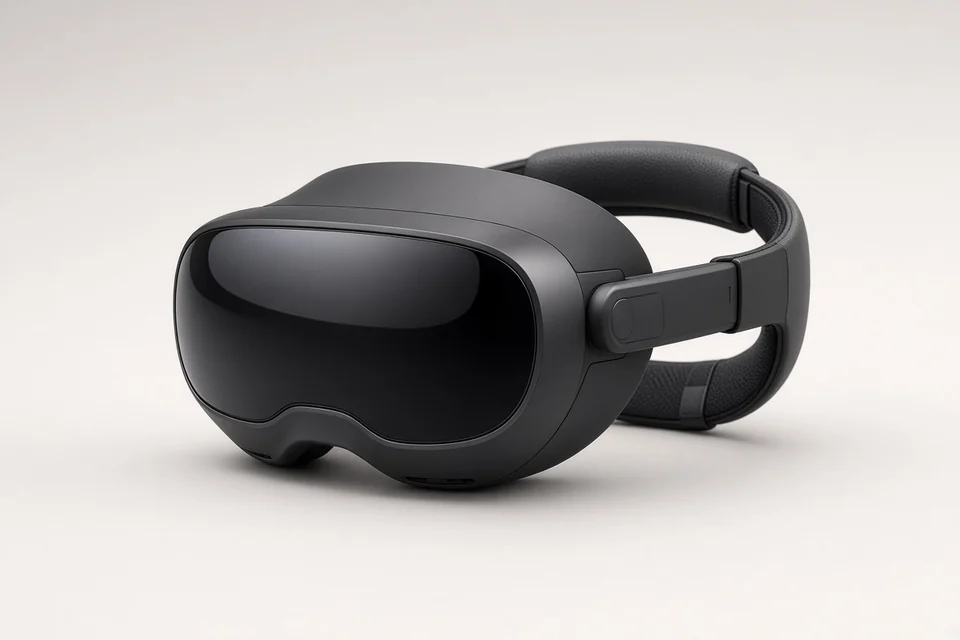 Placeholder — OEM press not licensed